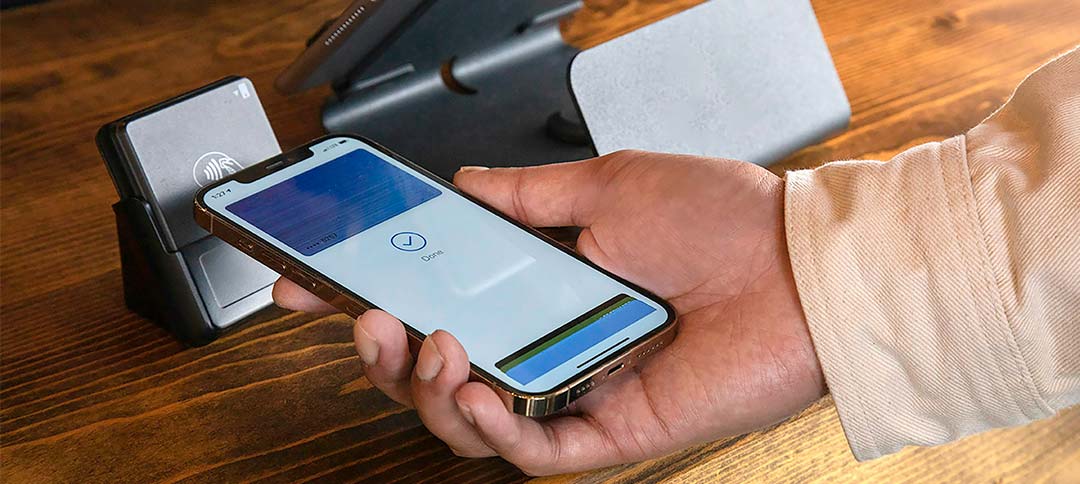
Donating should be easy, for you and your supporters. But too often, the process is clunky. Long forms. Card info. Click after click.
It’s enough to make anyone abandon the page. That’s where Apple Pay comes in. It’s fast, secure, and already built into the devices your donors use every day.
At Harness, we’ve helped countless nonprofits improve their donation experience by adding Apple Pay to the mix. It's one small switch that can lead to big changes, more completed gifts, more recurring donors, and fewer headaches for your team. And the best part? You don’t need to be a tech wizard to make it happen.
Let’s break down how Apple Pay works, why it matters for your nonprofit, and how you can set it up step-by-step. We’ll also share tips from our team and partners who’ve already seen the results.
Need a hand setting up Apple Pay? Harness makes it simple. Our team can help you get started without the tech stress.
Why nonprofit organizations should accept Apple Pay
When you run a nonprofit, every moment counts. You don’t have time to babysit clunky donation tools or chase down abandoned forms. That’s why accepting Apple Pay isn’t just a “nice to have”, it’s a game-changer.
A simple and secure donation experience
Apple Pay keeps things easy for your donors. With just a tap of their finger or a glance at their screen, they can give in seconds. No digging out wallets. No typing card numbers. Just a smooth, secure checkout they already trust.
Increased donor confidence and trust
Apple is known for its tight security, and your supporters know it. Every Apple Pay donation is encrypted and private. That means fewer worries for your donors, and more peace of mind for you.
Compatibility with mobile giving trends
Let’s be real: most of your supporters are scrolling on their phones. Apple Pay fits right into how they already interact with the world. It’s fast, it’s familiar, and it meets your donors where they are, on the go, ready to give.
How Apple Pay works for donations
You don’t need to be a developer to understand Apple Pay. It’s just a smart, secure way for people to give without the extra steps.
Understanding Apple Pay as a payment method
Apple Pay lets donors use the cards already saved in their Apple Wallet. It works with debit cards, credit cards, and even prepaid cards. But here’s the key: they don’t have to enter any of that info at checkout. Everything’s already there, just a tap, and it’s done.
How donations through Apple Pay are processed
Behind the scenes, Apple Pay creates a one-time code for every transaction. It keeps the actual card number private. That means better security for donors and fewer headaches for you if anything ever goes wrong.
Devices and browsers that support Apple Pay
Apple Pay works on iPhones, iPads, Apple Watches, and even Macs. As long as your donor is using Safari, they can donate through Apple Pay, no matter where they are.
How to accept Apple Pay as a nonprofit organization
Getting started with Apple Pay isn’t as tricky as it sounds, especially if you’ve got the right partner by your side. Here’s what the process looks like, step by step.
Step 1: Join the Apple Developer Program
Even nonprofits need to sign up as developers. It’s Apple’s way of making sure everything’s secure and verified. You’ll create an Apple ID, enroll your organization, and pay a small yearly fee (yes, even for nonprofits). Once you're in, you’ll get access to all the tools needed to offer Apple Pay.
Step 2: Ensure your platform or site supports Apple Pay
Not every donation tool can process Apple Pay. You’ll need a platform that integrates with it directly, or lets you connect through a payment service provider. Platforms like Harness already support Apple Pay, so there’s no custom coding required.
Step 3: Submit your nonprofit for Apple approval
Apple needs to confirm you’re a legitimate nonprofit before turning on donations. You’ll submit some basic info, your website, your mission, and a few other details. If you’re outside the U.S., there might be a few extra steps, but Apple outlines the process clearly for every region.
Step 4: Implement Apple Pay with your fundraising provider
Once you’re approved, it’s time to go live. This is where your platform (or your tech team) comes in. With Harness, it’s all handled for you, setup, testing, and support. You just focus on fundraising; we’ll handle the rest.
Improving your donor checkout experience
Donors want giving to feel easy. The more steps you add, the more chances you have to lose them. Apple Pay helps you cut through the noise and keep donors focused on the moment that matters, supporting your mission.
Why Apple Pay shortens the donation process
With Apple Pay, there’s no need to type in names, addresses, or card numbers. Donors just tap and confirm with Face ID or Touch ID. That’s it. No forms, no errors, no frustration. It’s quick, clean, and designed for how people actually use their phones.
Design tips to highlight Apple Pay at checkout
Don’t hide the Apple Pay button. Put it front and center, especially on mobile. Let your donors know they can give in seconds. Use clear labels like “Donate with Apple Pay” and keep the page simple. Less clutter = more action.
Combining Apple Pay with recurring donation options
Apple Pay isn’t just for one-time gifts. When paired with recurring giving, it helps build long-term support without requiring donors to come back and re-enter their info. It’s easy for them, and even better for your monthly giving goals.
Promoting Apple Pay to your donors
Just adding Apple Pay isn’t enough, you’ve got to let people know it’s there. A few simple changes to your messaging can make a big difference in how many donors actually use it.
Use messaging that emphasizes security and speed
Donors care about two things: is it safe, and is it fast? Highlight both. Phrases like “secure checkout in seconds” or “no card info needed” tell supporters exactly why Apple Pay is the smarter choice.
Feature Apple Pay in your campaigns and emails
Your donors won’t use Apple Pay if they don’t know you offer it. Add it to your campaign pages, email footers, and donation forms. Use bold, clear language that shows it’s an easy way to give, and a smart one, too.
Educate donors on how to use Apple Pay
A quick visual or a sentence or two can go a long way. Most Apple users already know how it works, but a gentle reminder, “Tap to donate using Face ID or Touch ID”, makes the process feel even simpler. If you can, include a short video or graphic to show how it works.
Measuring the impact of Apple Pay on your online donations
Once Apple Pay is live, the real magic starts: you get to see how it’s working. The goal isn’t just to offer a new payment method, it’s to make giving easier, faster, and more frequent.
Monitor donation completion and abandonment rates
Keep an eye on how many people start the donation process versus how many actually finish it. If you see that more donors are completing their gifts after adding Apple Pay, that’s a strong signal it’s doing its job. Many nonprofits notice fewer abandoned forms once friction is removed.
Use donor feedback to improve your checkout process
Sometimes the best insight comes straight from your supporters. Ask them how their donation experience felt. Was it smooth? Confusing? Did they notice Apple Pay? Their answers can help you make small changes that lead to even bigger results.
Apple Pay for nonprofits
Apple Pay isn’t just a flashy feature, it’s a practical upgrade that makes giving easier, faster, and more secure for your supporters. When you remove friction from the donation process, you create more opportunities for people to act on their generosity in the moment.
The best part? You don’t need to be a tech expert to start using it. With a few setup steps and the right platform in place, your nonprofit can begin accepting Apple Pay in no time. And once it's live, you’ll likely notice more completed donations and fewer abandoned forms.
Harness helps make that possible. Our platform fully supports Apple Pay and other modern giving tools, and our team walks with you every step of the way. From setup to strategy, we’re here to make fundraising easier, so you can focus on the work that matters most.